
Available on iOS and Android
Get expert help in 30 minutes or less.
Post a problem, pick a helper, solve it together on video. Typically in 30 minutes or less. No long projects, no hourly billing.
HD video calls · Pay securely with Stripe · Calls are private and never recorded
Why HelpingHands
Built for when you just need a hand.
Everything that makes quick, trustworthy help possible, without the friction of booking, contracts, or overtime.
Sessions of 10, 20 or 30 min
Pick the length that fits. Focused help, no long-winded projects. Just solve the problem and move on.
Face-to-face video calls
Live 1-to-1 video with your helper. Not recorded, private by default.
Helpers with ratings
Every helper has a public rating from past sessions. Know who you're trusting before you book.
Secure Stripe payments
Pay with card, Apple Pay or Google Pay. Your card details never touch our servers.
Smart category matching
Your request only reaches helpers in the right category. No irrelevant messages, no random responses.
Hold-before-release payouts
Your payment is held until the session completes. No-show from the helper? Automatic refund.
Available in EN · NL · FR
Use the app in English, Dutch or French. Ask for help in your own language.
Fair, transparent pricing
Helpers set their own per-10-minute rate. You see the total before you pay. No surprises.
In-call chat
Paste links, share notes, or type something you don't want to say out loud. All without leaving the call.
Fast matching
Helpers are notified the moment a matching request comes in. Most requests get a response within minutes.
How it works
Two sides, one simple flow.
Whether you need help or you give it, the app gets out of your way.
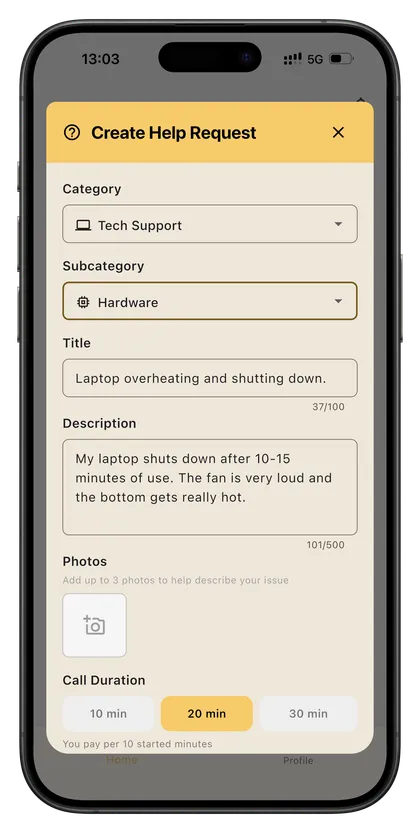
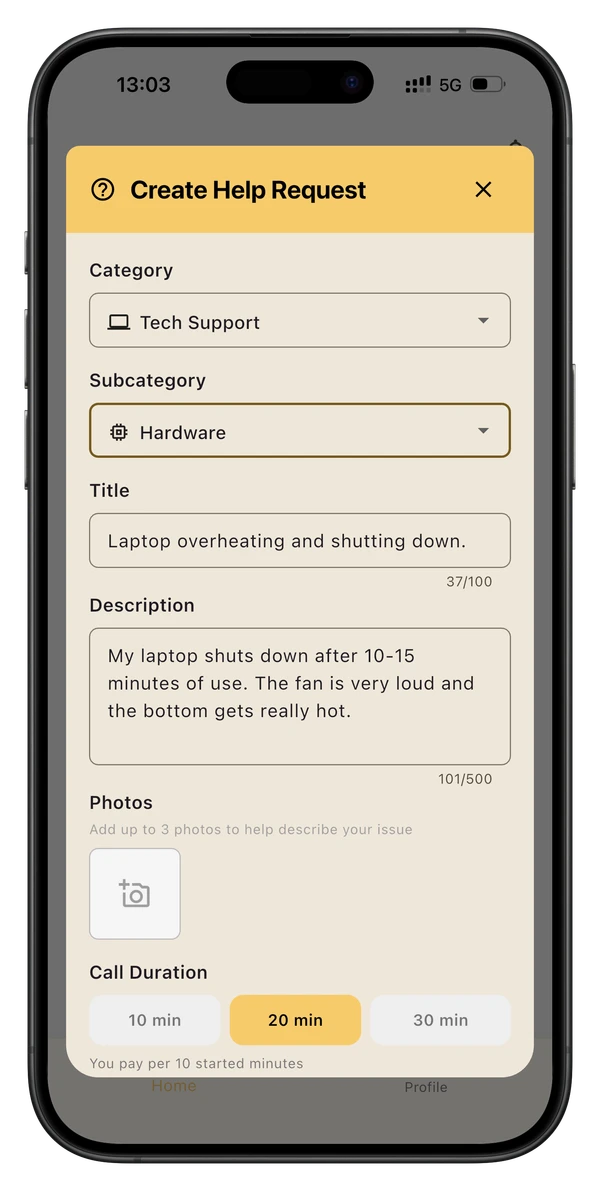
Describe your problem
Pick a category, write a few sentences, tap "Help me". That's it.
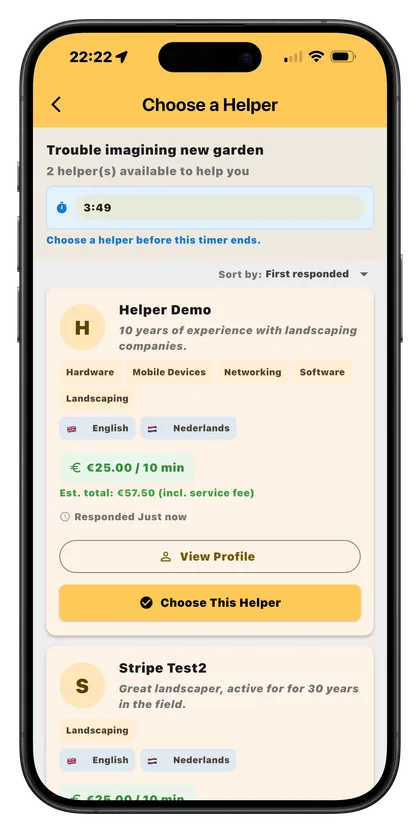
Pick your helper
Within five minutes you'll see helpers who are ready to go, with their rates, ratings and profile details.
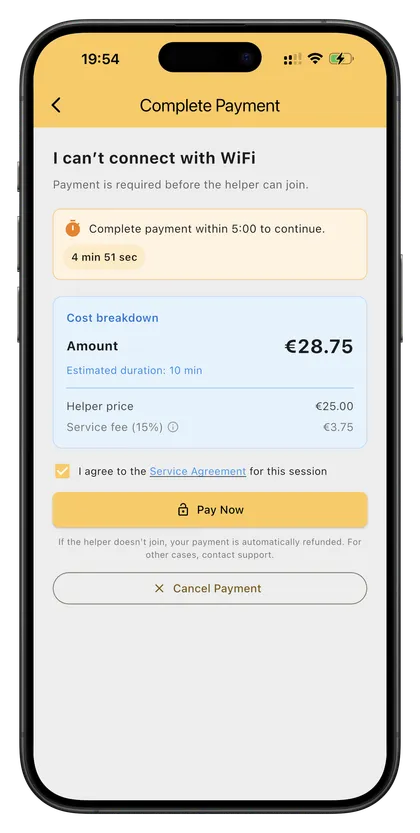
Pay, solve, done
Pay securely, jump into a video call, and fix it together. You'll see the total upfront, no surprises.
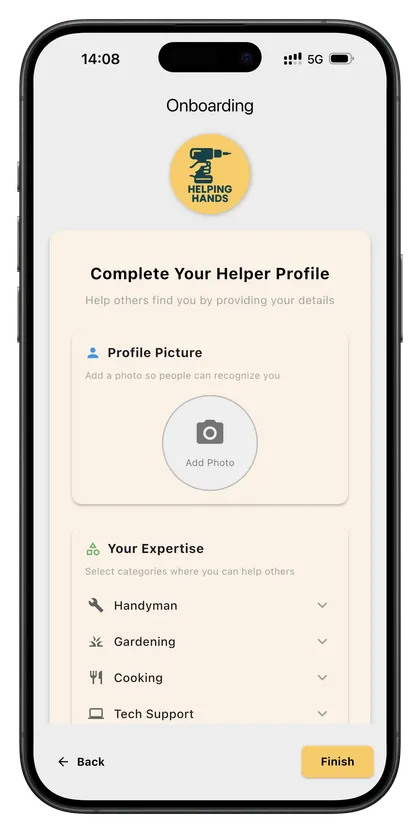
Set up your profile
List your skills, set your per-10-minute rate, link your bank via Stripe Connect.
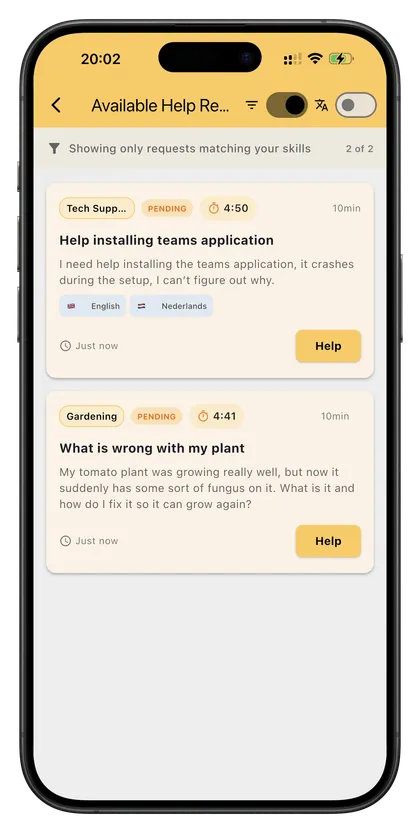
Respond to matching requests
Get a push notification when someone needs the kind of help you offer. Tap to respond within five minutes.
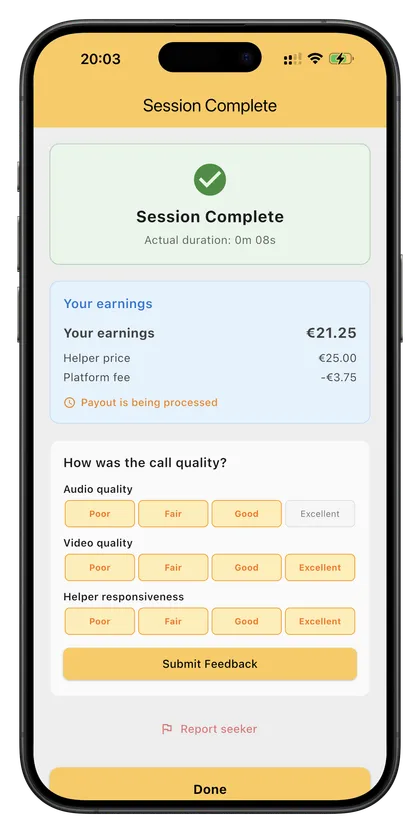
Help and get paid
Join the call, help them out, and your payout lands in your bank within a few business days.
Help categories
If it can be solved in 30 minutes or less, there's a helper for it.
Our helpers cover everyday problems that shouldn't need a three-day workshop to fix.
Handyman
Plumbing, electrical, carpentry, furniture assembly. Show them the problem and they'll talk you through the fix.
Gardening
Plant care, lawn questions, tree pruning, landscaping ideas.
Cooking
Baking, meal prep, special diets, international cuisine. A pro in your kitchen without leaving home.
Tech Support
Hardware, software, phones, Wi-Fi. That one setting you can't find.
Cleaning
Deep cleaning routines, stain removal, post-build cleanups, eco-friendly approaches.
Tutoring
Math, languages, science, music. Focused 30-minute sessions.
Something else
If it can be talked through in 30 minutes or less over video, chances are there's a helper for it.
Made for
Who's it really for?
Four kinds of people who get the most out of HelpingHands.
Homeowners with a small problem
Dripping tap, wilting plant, stain that won't come out. Get an expert's eyes before you pay someone to come out.
Busy parents short on time
Homework tonight, dinner with what's in the fridge, a practical question about your kid. A pro in your pocket for 30 minutes or less.
DIYers mid-project
Middle of a job, stuck on a step. Faster than hiring someone, cheaper than a workshop.
Experts earning on their own schedule
You know your craft. Set your rate, help when you're free, earn per session. No shifts, no contracts.
Good to know
Frequently asked questions
Short answers to the things people ask most.
What is HelpingHands?
How do I create a help request?
How do I choose a helper?
Is HelpingHands free to use?
Can I get a refund?
What do I need for a video call?
How is my data protected?
How do I start receiving help requests as a helper?
When do I get paid as a helper?
How do taxes work for helpers?
Still have a question?
Contact supportReady to get unstuck?
Download HelpingHands and ask for help in under a minute.